
Training Plans
Our LMS allows grouping several courses into a “training plan”. These plans are primarily designed to provide solutions for more complex and long-lasting training, such as training plans or capacity building plans.
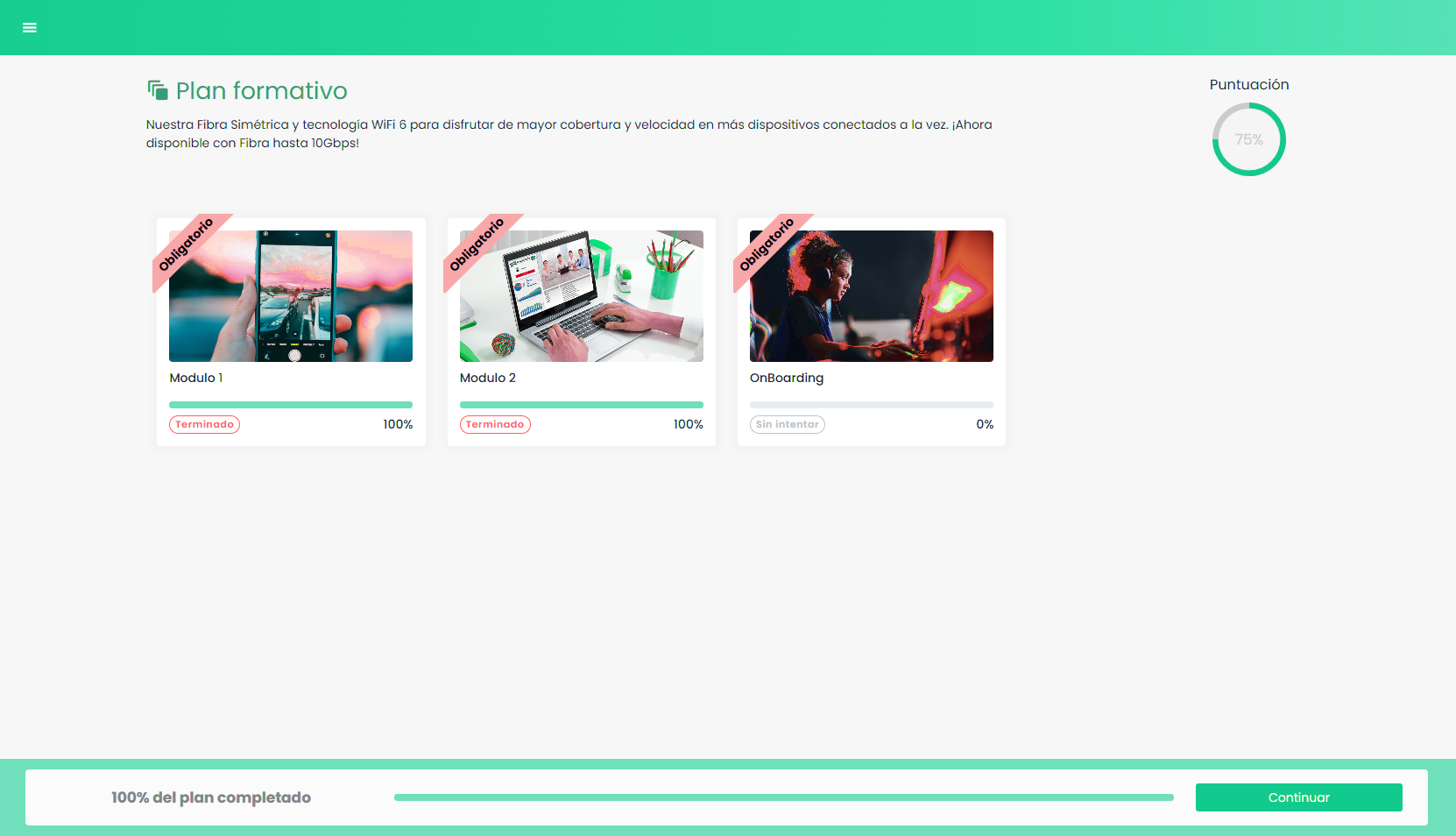
Training plans consist of several independent modules that students must complete to pass. Each module can have a different weighting, and various announcements can be configured to guide the student through the training process.
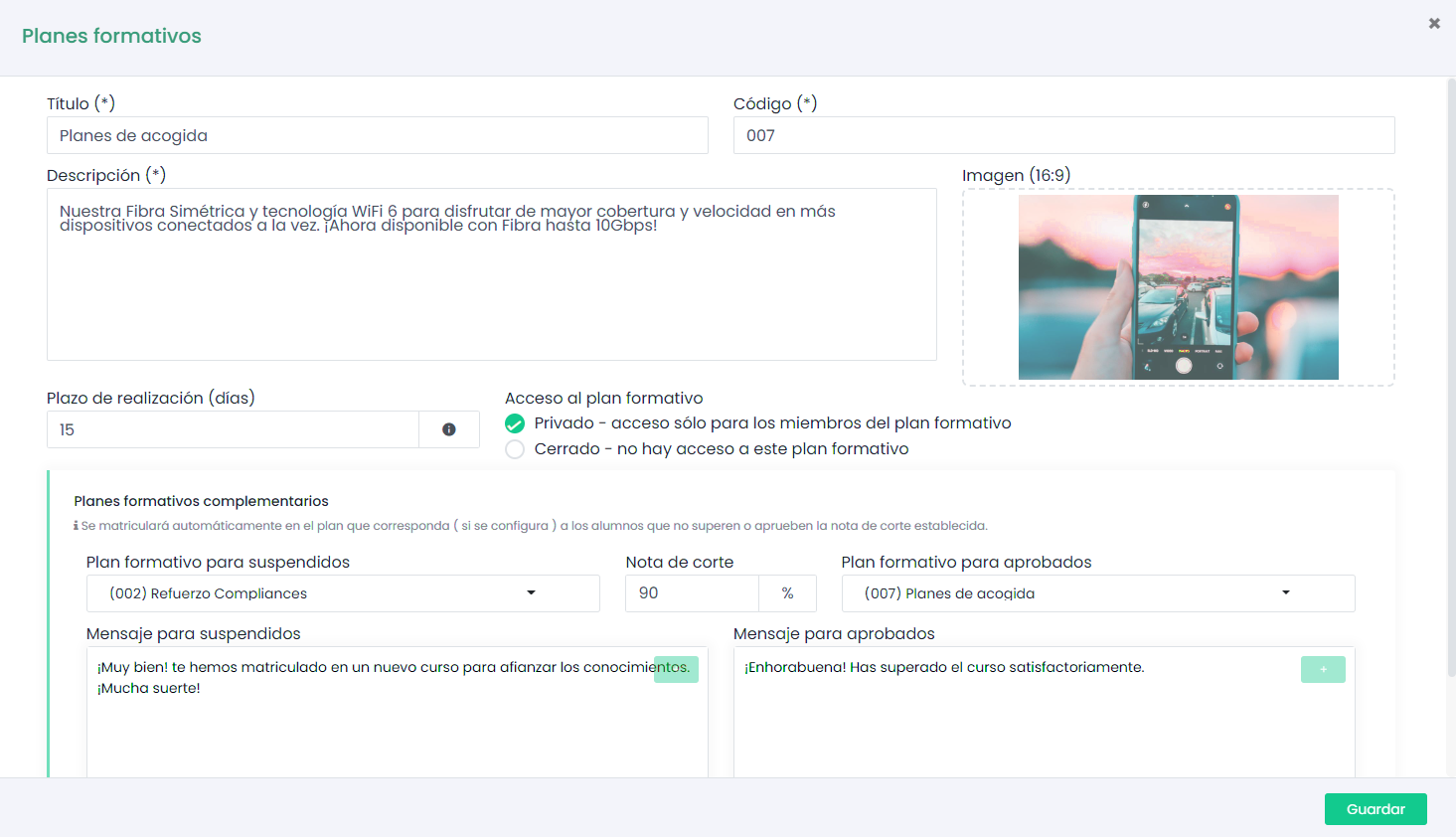
If students do not reach the stipulated cut-off grade, a reinforcement plan can be configured to automatically enroll them. With reinforcement plans, we aim to ensure that students properly understand the training and apply it correctly in their daily tasks.
How to Create a Training Plan
To create a training plan, go to the plan administration from the sidebar menu and click the add button.
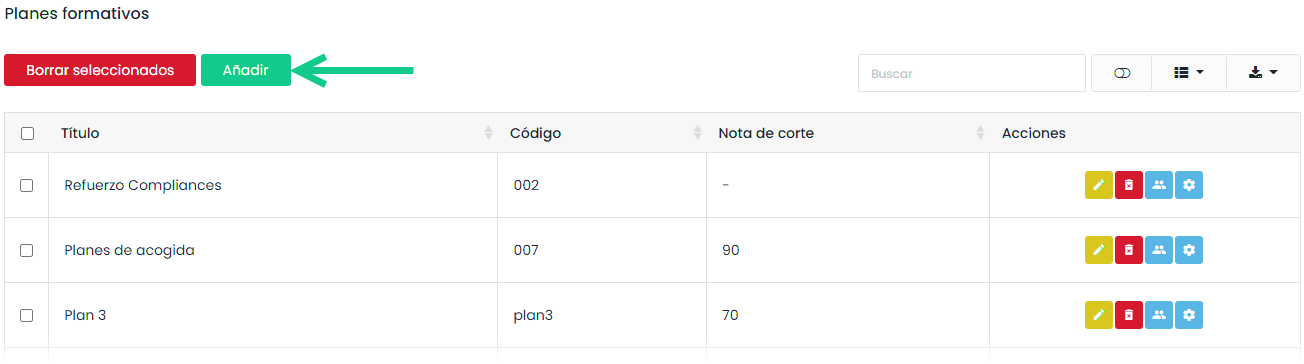
After filling out the form, click “Save”.
REMEMBER
In the reinforcement training plan tab, we can select, if desired, the training plan in which we want to automatically enroll students if they do not reach the configured cut-off grade. The reinforcement plan must be created beforehand.
Once saved, we need to click on the configuration wheel to start adding the modules that make up the training plans.

In this new screen, all the modules we have created in our plan will appear. This table can be reorganized by dragging the rows.
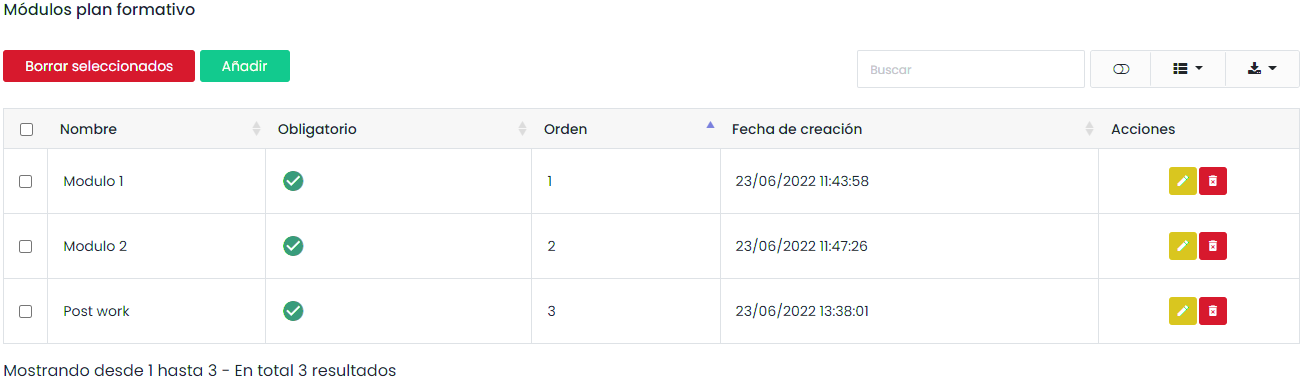
By clicking add, a new window will open:
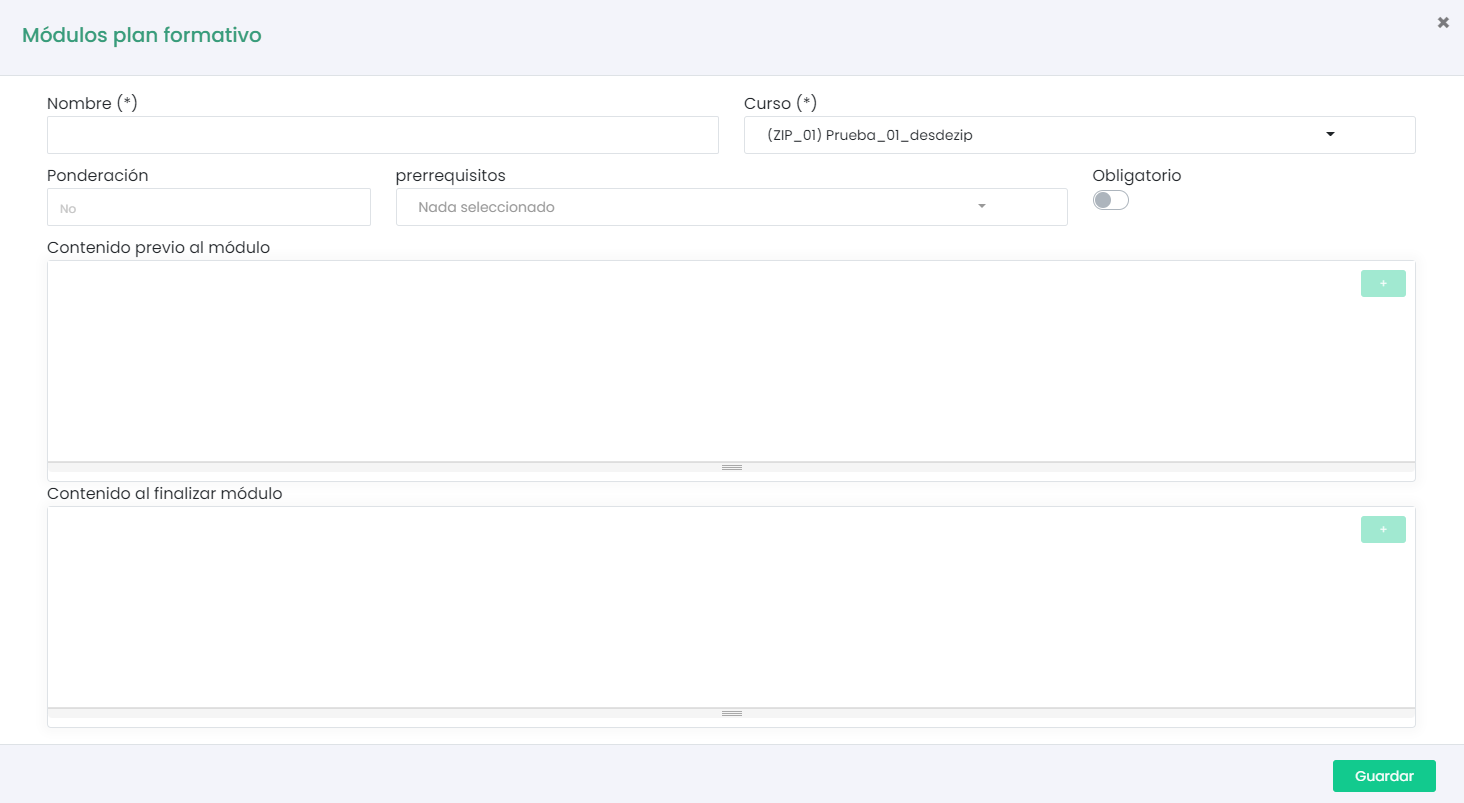
In this window, we can configure all the parameters of the module.
All modules are associated with a previously created course. Therefore, each time we create a module, we need to select the course to which we want to link it.
We can also configure start and end module announcements that the student will see as soon as they access and complete the last lesson of each module.
Training Plan Reports
We can find the training plan reports in the sidebar menu > reports > users in training plans. Here we will find all the information about our students in the plans.
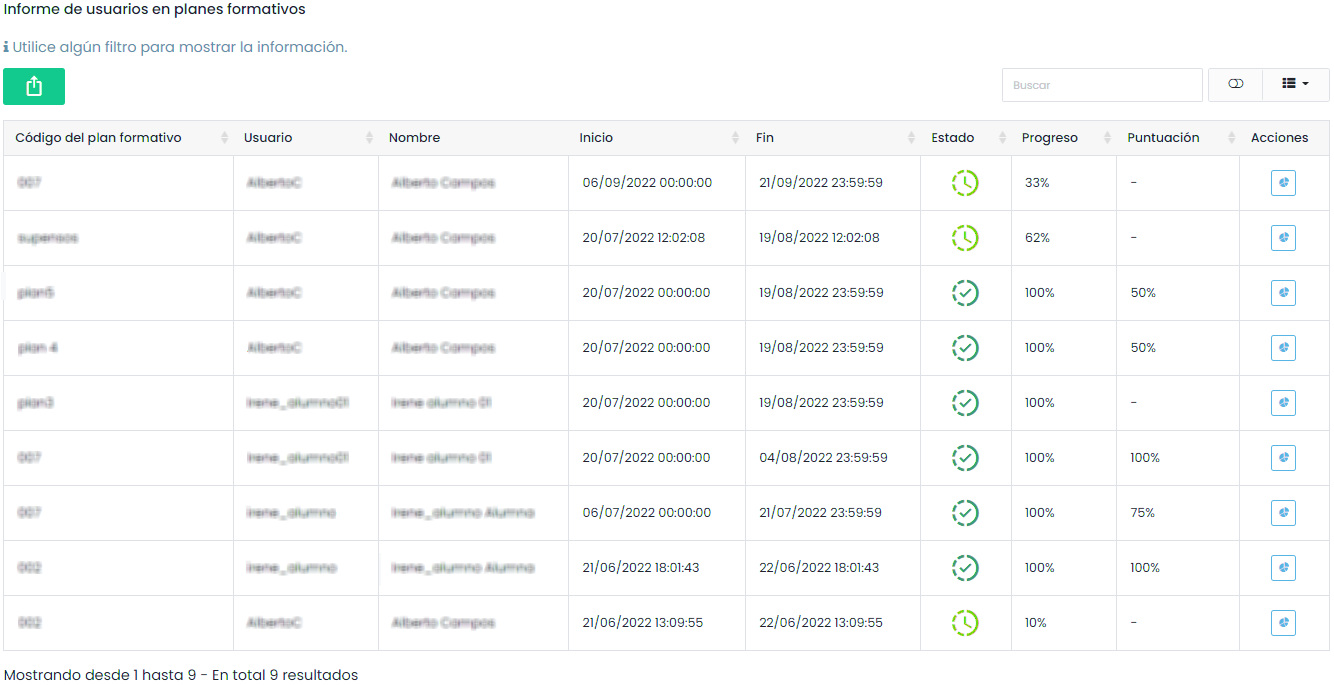
By clicking on the detailed reports wheel, we will be taken to the report of each course associated with the modules.
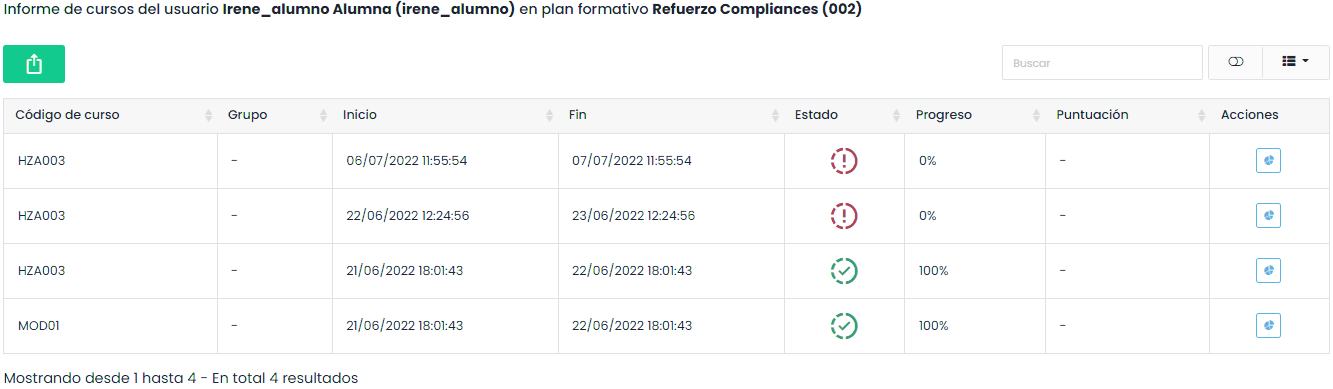
And in turn, to the detailed course report.