
Groups

Groups are a tool that allows managing the joint training of a group of users. There are two types: subsidized and non-subsidized groups. Subsidized groups are aimed at scheduled training.
To access group management, go to the sidebar menu.
These groups have characteristics defined by Fundae. For example, in online training mode, the number of participants cannot exceed 80 per tutor.
Create Groups
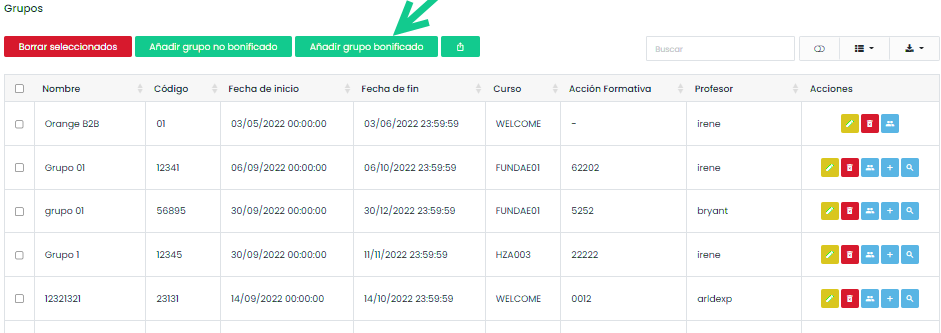
To create a subsidized group, click on “Add subsidized group” and then fill out the form with all the data related to the group, the training action it corresponds to, and those requested by Fundae.
The platform allows configuring whether the training will be online or in-person, as well as providing precise information on the characteristics, training methodology, location, classrooms, schedules, and training managers.
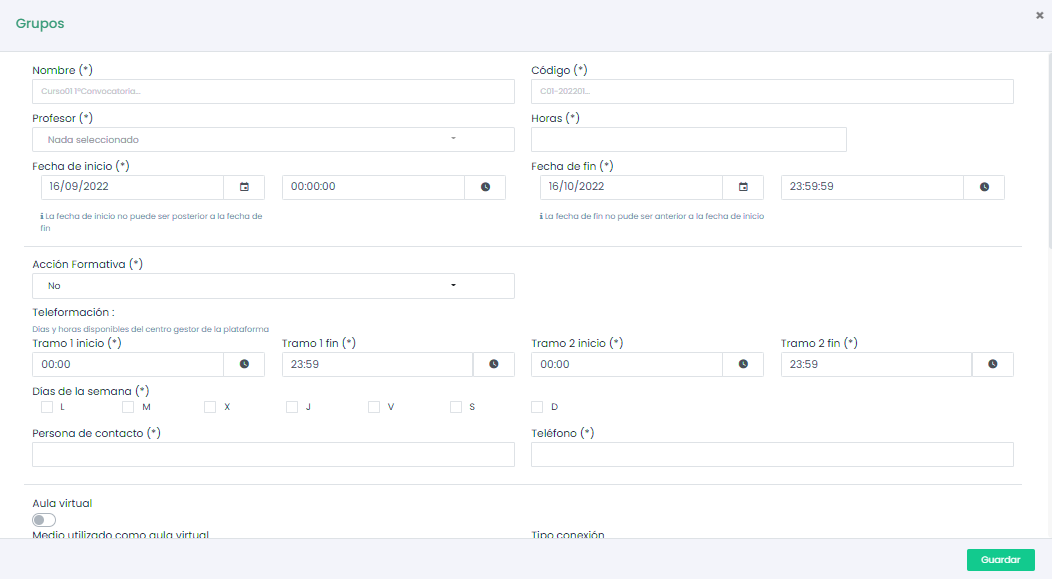
Once all the form fields are completed, click “Save.” This group will be automatically added to the selected training action.
Online groups can be tutored, and the tutor’s activity will be recorded. Groups can only be tutored by non-student users assigned as tutors to the group.

The platform also allows the configuration and management of non-subsidized groups, which are useful for managing the training of a group of students but are not oriented towards subsidized training.
Once users have made progress in the activity, it can be monitored from the groups table. To do this, access the group of interest and click on the magnifying glass icon to see the Group Details. Information related to this group will be displayed, and we can access the course content and even export specific reports for the subsidized training, such as user and tutor connection times.
To export group reports, give the report a name and select the export options that interest you the most.
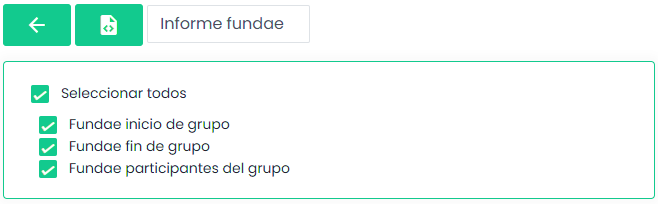
The generated report can be downloaded from the Requested Reports page.
In-Person Training
Our LMS allows configuring groups not only for online training but also for in-person training.
To start configuring in-person training, uncheck the “Online” switch on the group registration form. This action can be performed for both subsidized and non-subsidized groups.

Once the group is registered, the platform will allow configuring the in-person training sessions that will take place. Locations and classrooms must be registered beforehand to assign them to this specific group.
To access the group details, click on the magnifying glass icon.

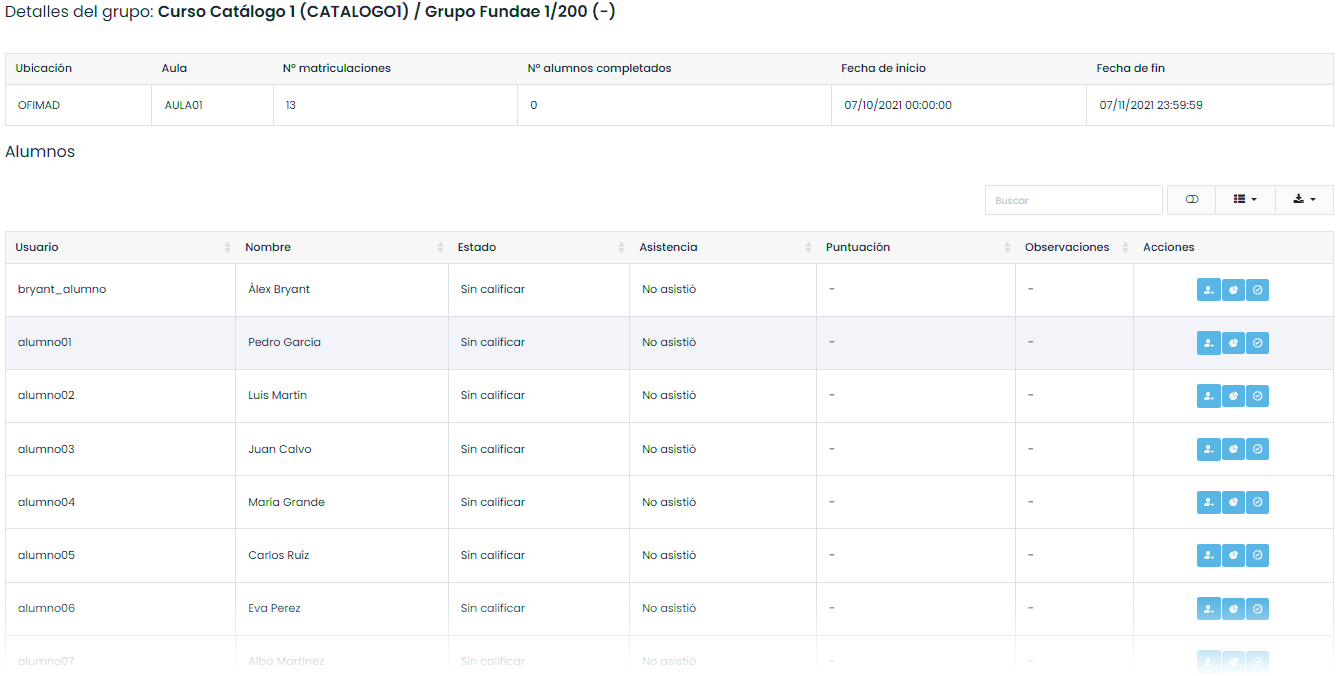
This view will show details such as location, classroom, number of enrollments, number of completed students, start date, and end date. A table with the users belonging to this group will also be displayed.
From this table, we can grade users by giving them a score and validating their attendance at the sessions.
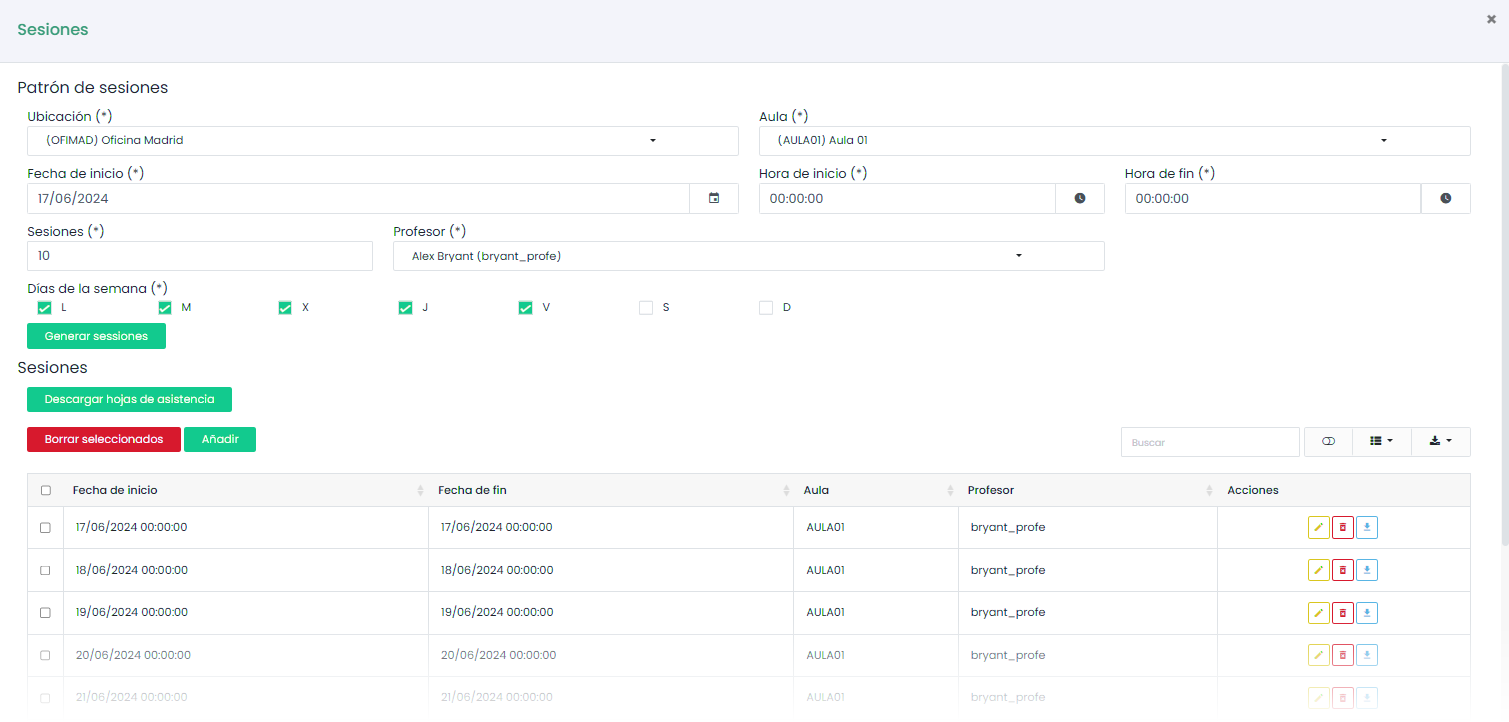
These sessions can be scheduled from the same form.

A configuration wizard will be displayed, allowing us to automatically schedule training sessions by indicating the number of days and the days on which the sessions will be distributed. We will also see and be able to edit the location and classrooms of the activity.
Once scheduled, each session can be edited independently, the attendance sheet for each session can be downloaded, new sessions can be added, or existing ones can be deleted.
Our LMS also allows hosting relevant documentation for in-person training from the group details page. It is located at the bottom of the page. It works in the same way as the Documents tool.