NPS Surveys

An NPS survey is a simple two-part survey that consists of a rating question and a follow-up free-response question. NPS surveys help quantify user satisfaction while also providing qualitative information to help improve the user experience.
How to Configure an NPS Survey
Configuring an NPS survey in a course is very easy. In the advanced options of the course creation screen, you will find the NPS section. Just activate the switch to enable the survey.
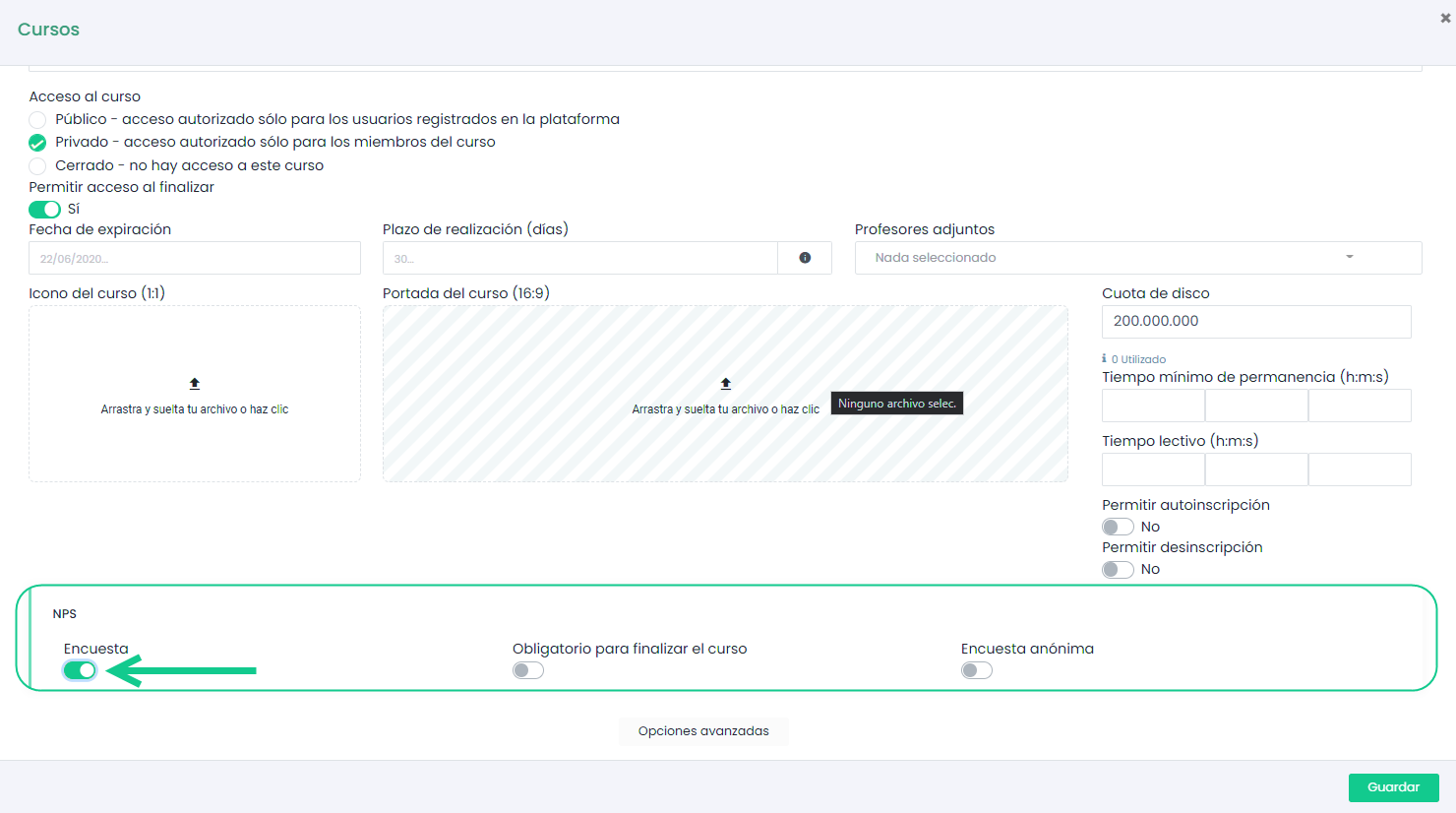
It is also possible to make responding to the survey mandatory to complete the course, as well as whether the users’ responses are anonymous or not.
NPS Dashboard
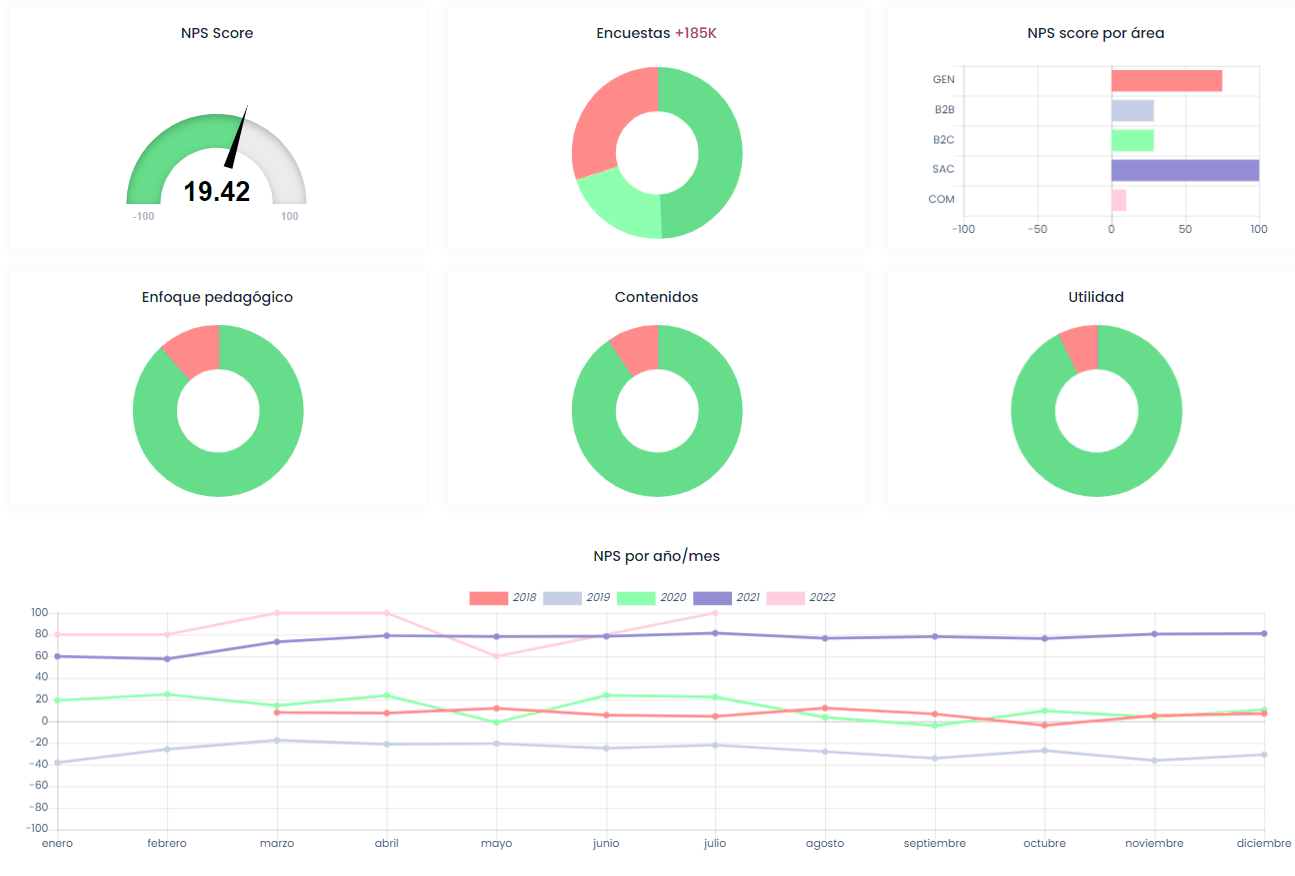
The responses to the NPS surveys will be displayed in the NPS dashboard, located in the sidebar menu. This is the most visual way to check the results.
REMEMBER
You can use the filter tool in the upper right corner to filter the NPS survey results by course, category, area, and dates.
NPS Report by Course
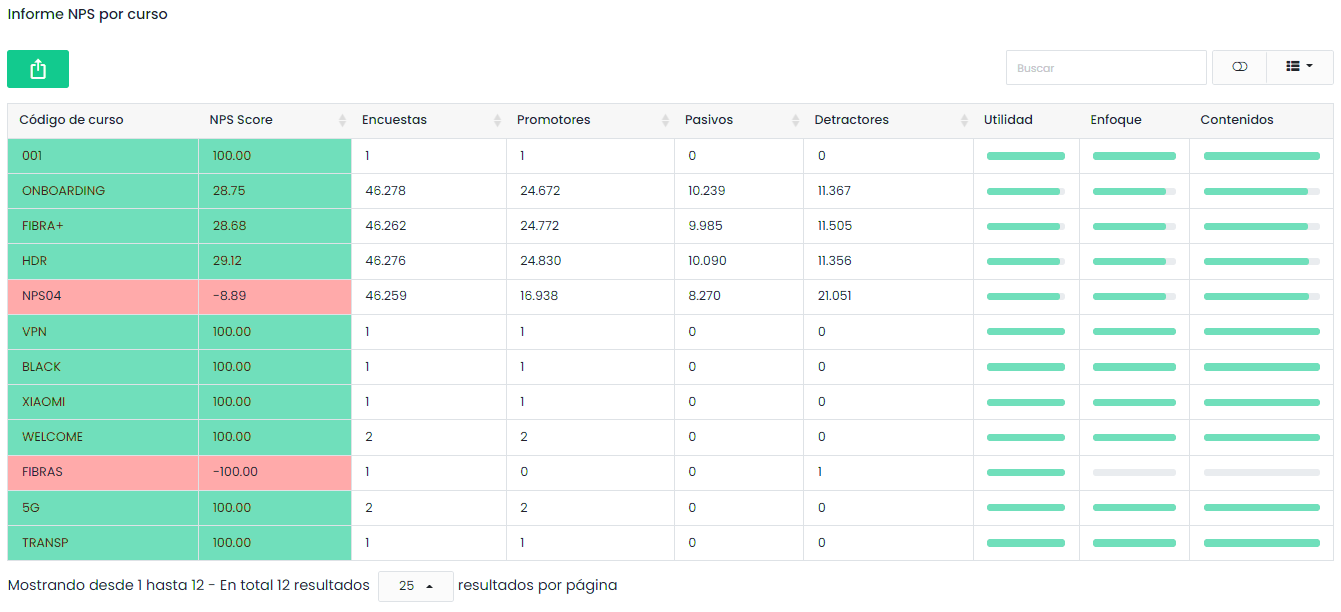
In this section, we can see the results of the NPS surveys classified by courses. Additionally, we can export the data to work with it outside the platform.