
Library

This platform allows configuring a document library at the platform level, not linked to any course. This tool allows creating a series of folders and subfolders where we can upload documents. These documents can be assigned a category, which will help us filter and locate the document more easily.
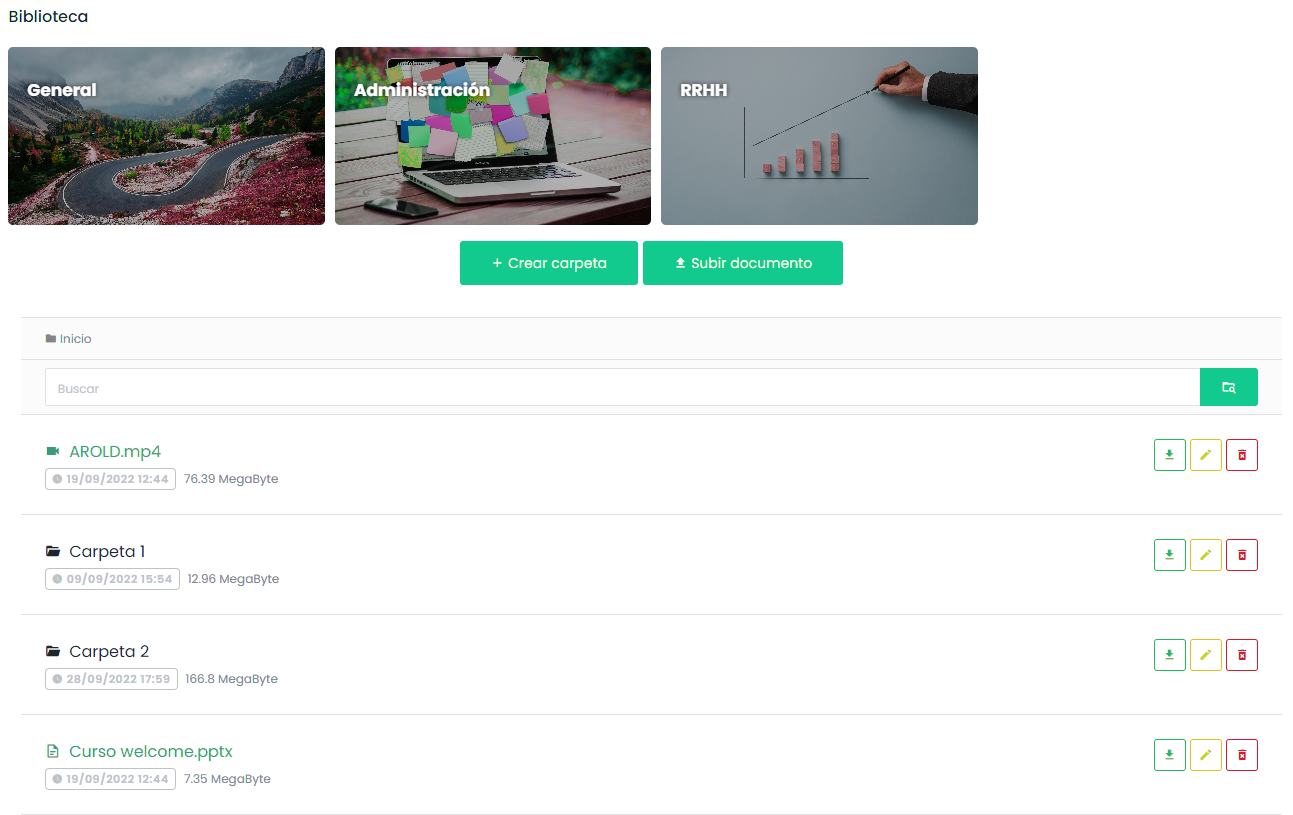
How to Create Document Categories
To create a document category, from the sidebar menu, go to Library > Document Categories and click the “Add” button.
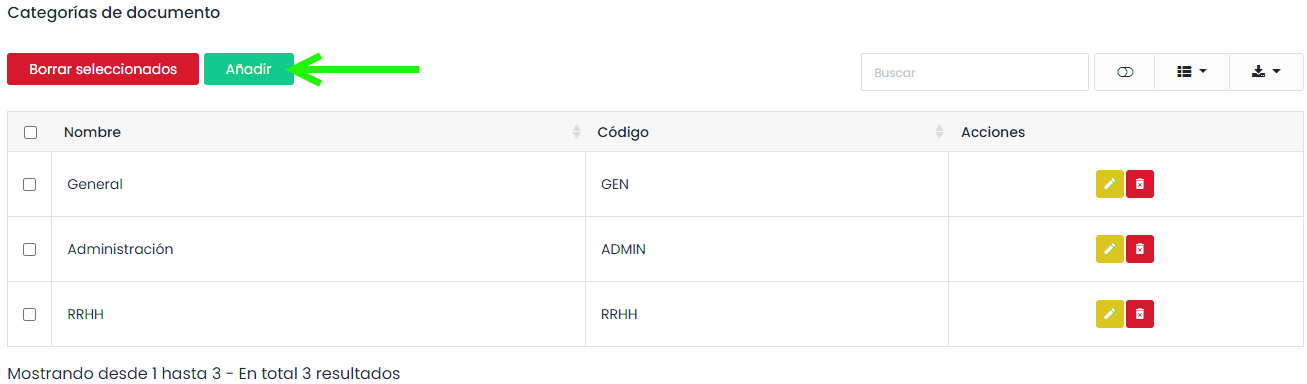
You must assign a name and a code. You can also select a cover image for the category. This will be displayed in the library view.
Uploading Documents to the Library
Uploading documents to the library is very simple. You only need to select the appropriate folder and click the “Upload document” button.
When creating a document or a folder, a form will be displayed where you must assign a title and a category.
If it is a document, you can drag the file from your computer or locate it using the file explorer. It is possible to select a compressed file and choose to decompress it in the library.
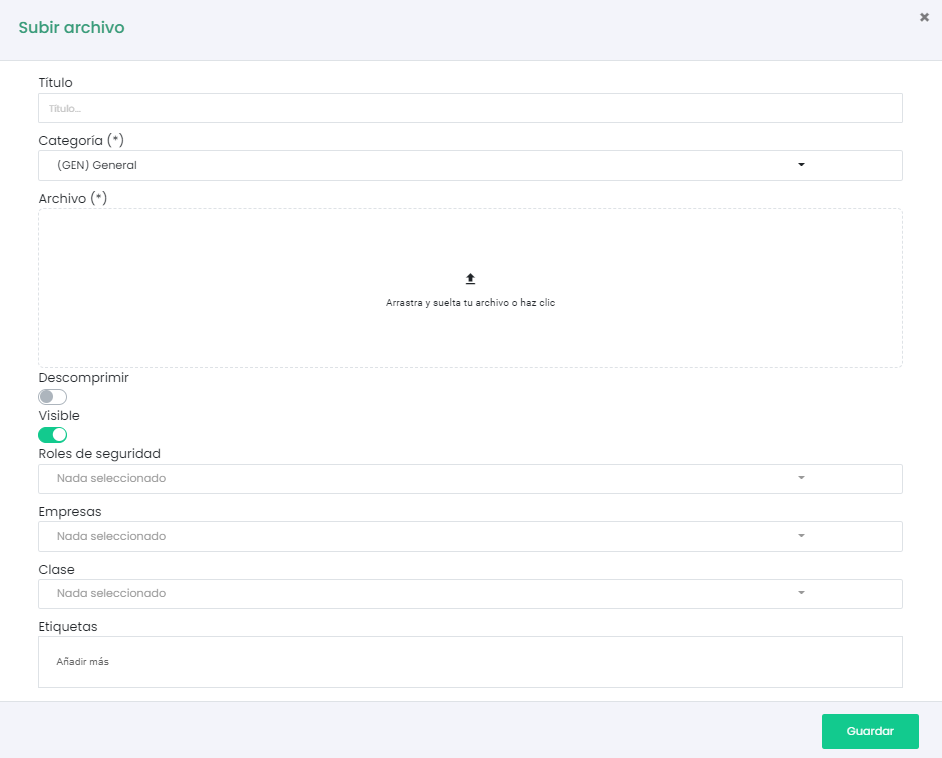
These documents have assigned filters, which will be very useful when locating a document in the library. It is possible to filter by Security Role, Company, Class.
Tags can also be assigned to the document, which can be used in the search bar of the tool.