
Survey
The survey is a tool that allows us to collect user responses to questions and evaluate them comparatively. It is a great tool for assessing prior knowledge and gauging user satisfaction after completing a course.
To add a survey to our lesson, click on the corresponding icon:
The following screen will appear:
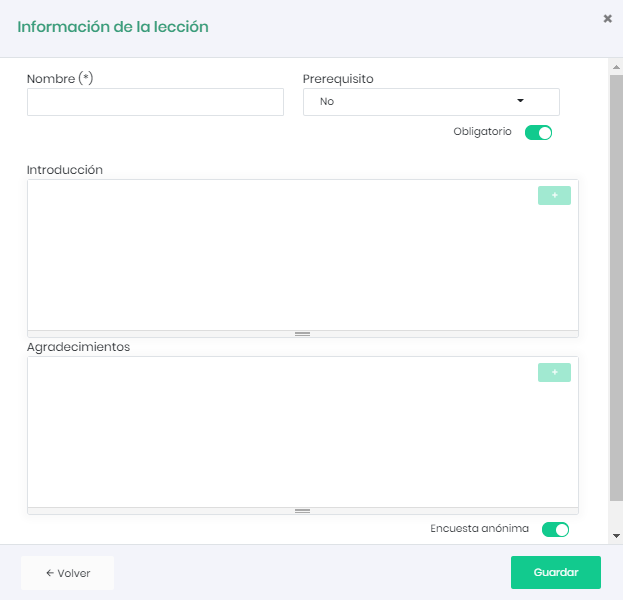
As usual, we will give it a name and choose a prerequisite. We can choose whether the survey is mandatory to complete the course.
We will define an introduction and a thank you message that will be shown to the user.
We can also choose whether the survey will be anonymous. This means that no user-related data will be stored, only the responses to the questions.
Once data has been generated, it can be consulted from the survey report icon in the lesson component. 
If the survey is not anonymous, we can also view a user’s responses in their detailed report.