
Link

It is possible to add links as lesson components. These links can be either internal or external. To add a link as a component, click on the icon shown.

The following screen will appear:
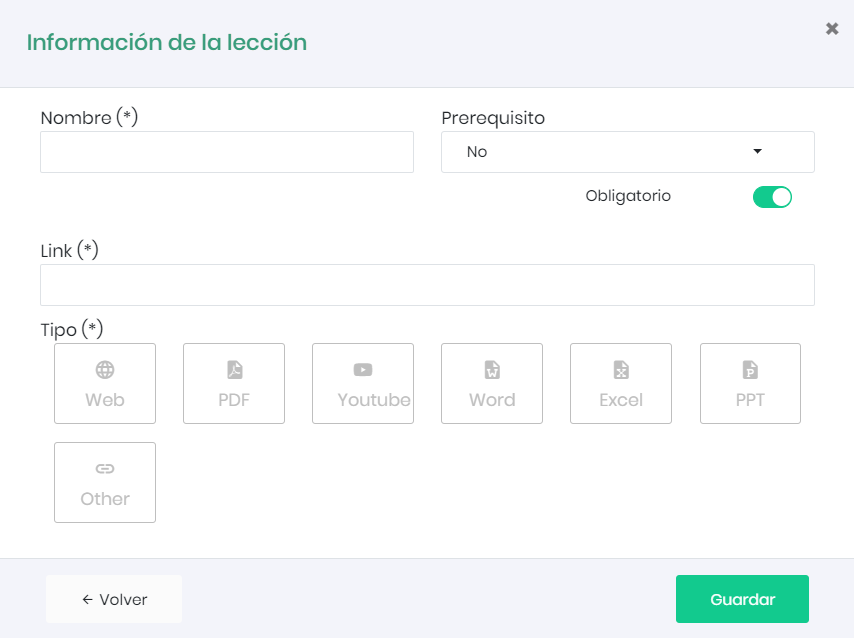
First, define a name and specify a URL.
We can choose another element as a prerequisite that must be completed before the link can be activated, as well as whether it is mandatory for the user to visit it to complete the course.
In “Type,” select the icon that corresponds to our link (web, Prezi, YouTube…). This only affects the visual appearance.
Finally, click the “Save” button.