
Course Catalog
The platform offers a catalog of freely available courses for users. In this catalog, users can select the courses they wish to enroll in and must complete them within the stipulated period. The platform administrator must enable it beforehand.
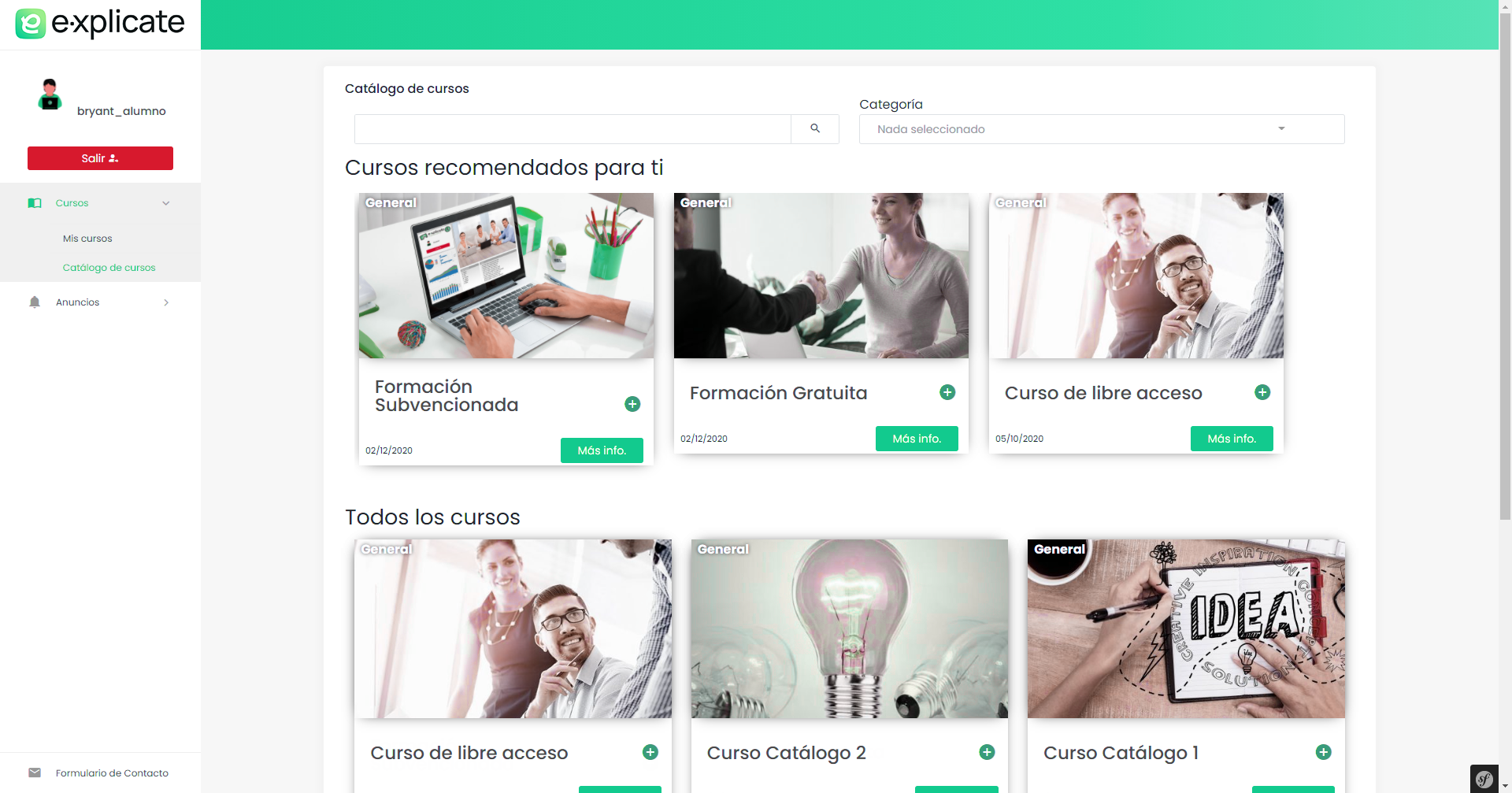
To enroll in it, users only need to click on the “more information” button on the course card they are interested in.
A window with course information and a “register” button will appear. Once the user clicks it, they will be registered in the course from that moment.
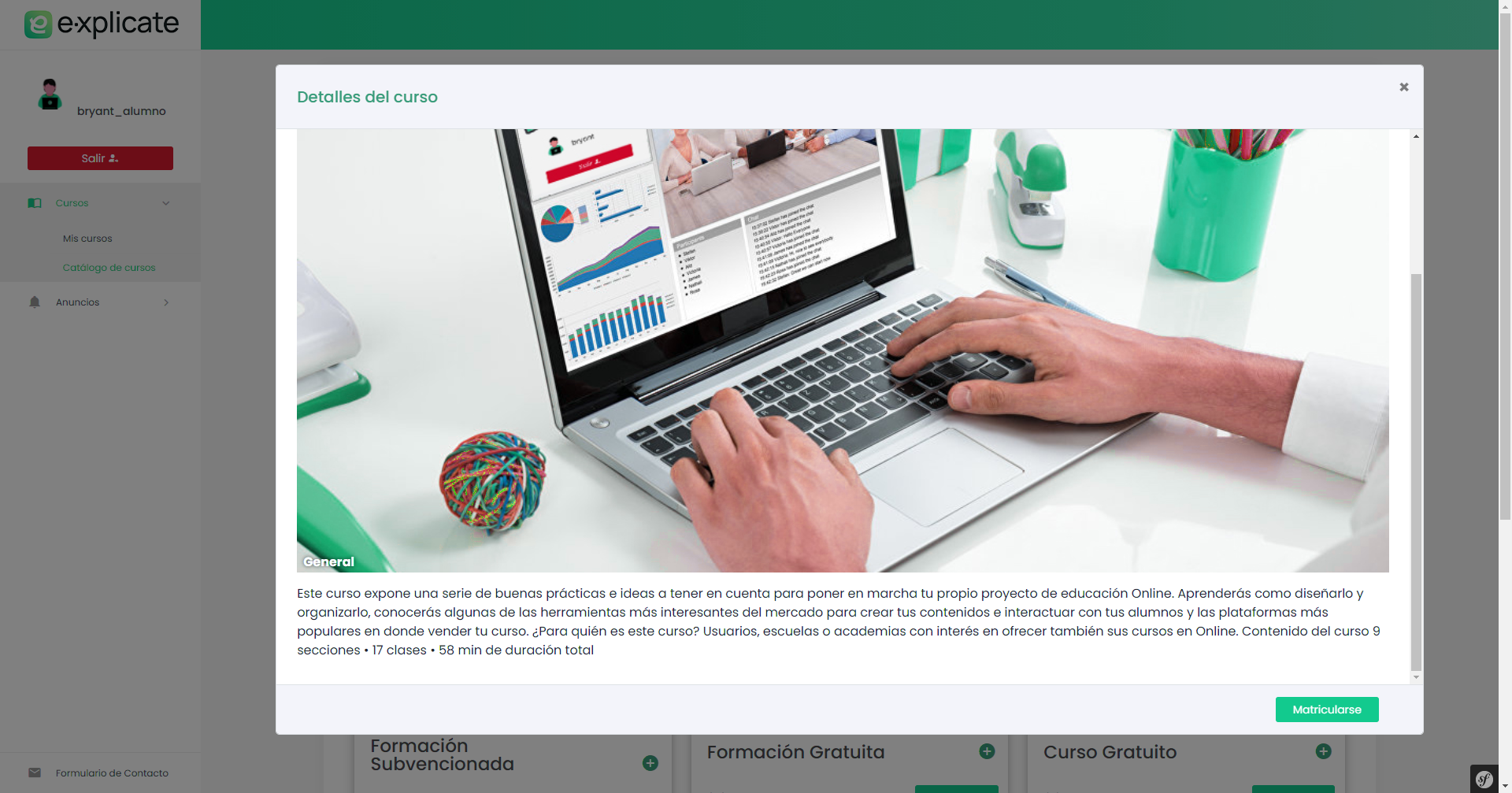
Once enrolled, the user will be notified via push notification and email.

Adding Courses to the Catalog
If you want to add a course to the catalog, the first thing to do is locate the course in course administration or in our course list and click the edit icon (pencil).
You should see the following screen.
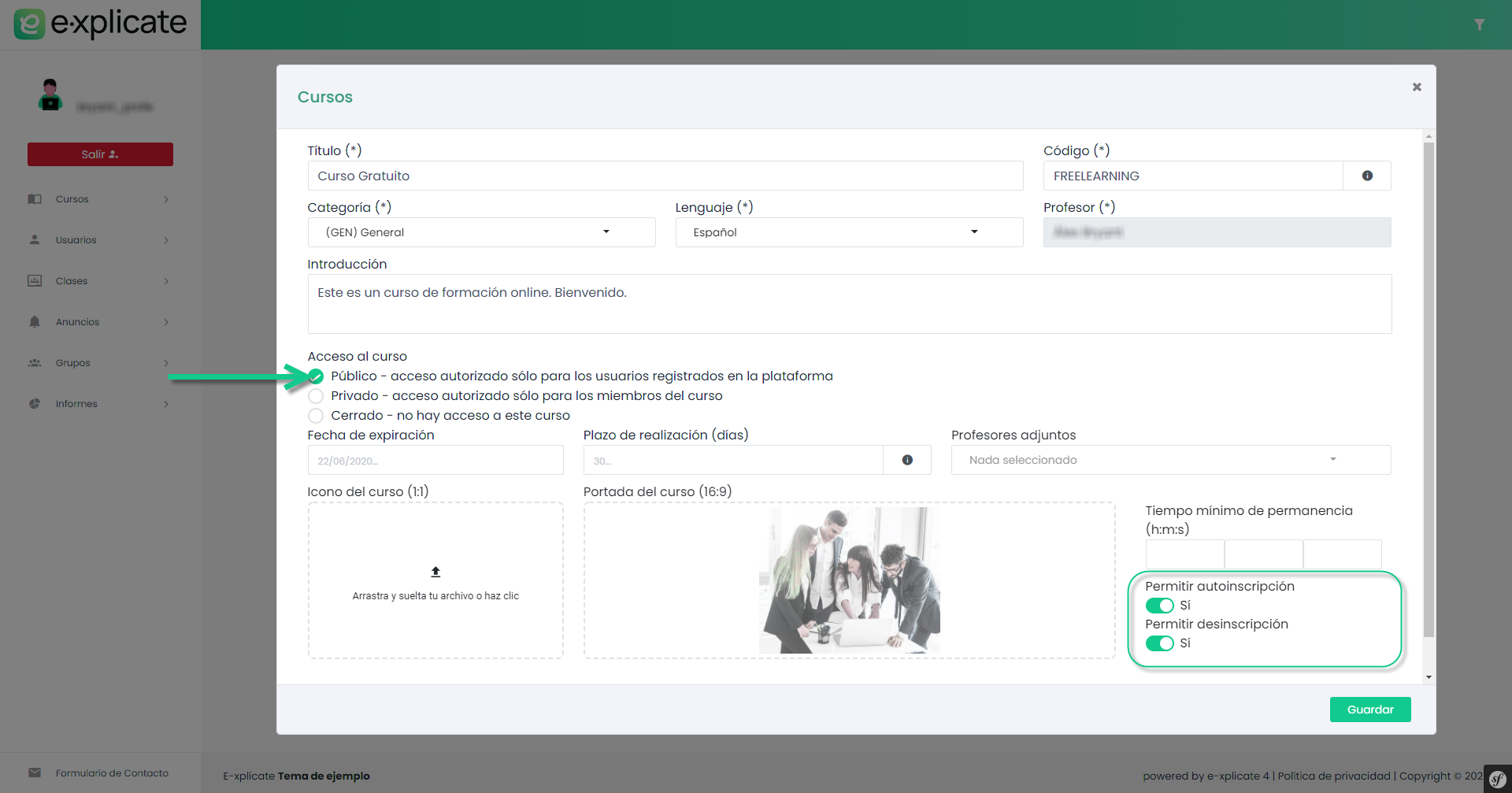
Select “Course access: Public – access authorized only for registered users on the platform”. This way, we will show the course in the catalog.
By default, self-enrollment will be enabled. If, on the other hand, we want to show the course in the catalog but do not want users to enroll at that time, we will disable self-enrollment (e.g., for a course that will be launched in the near future, we can promote it and generate excitement).